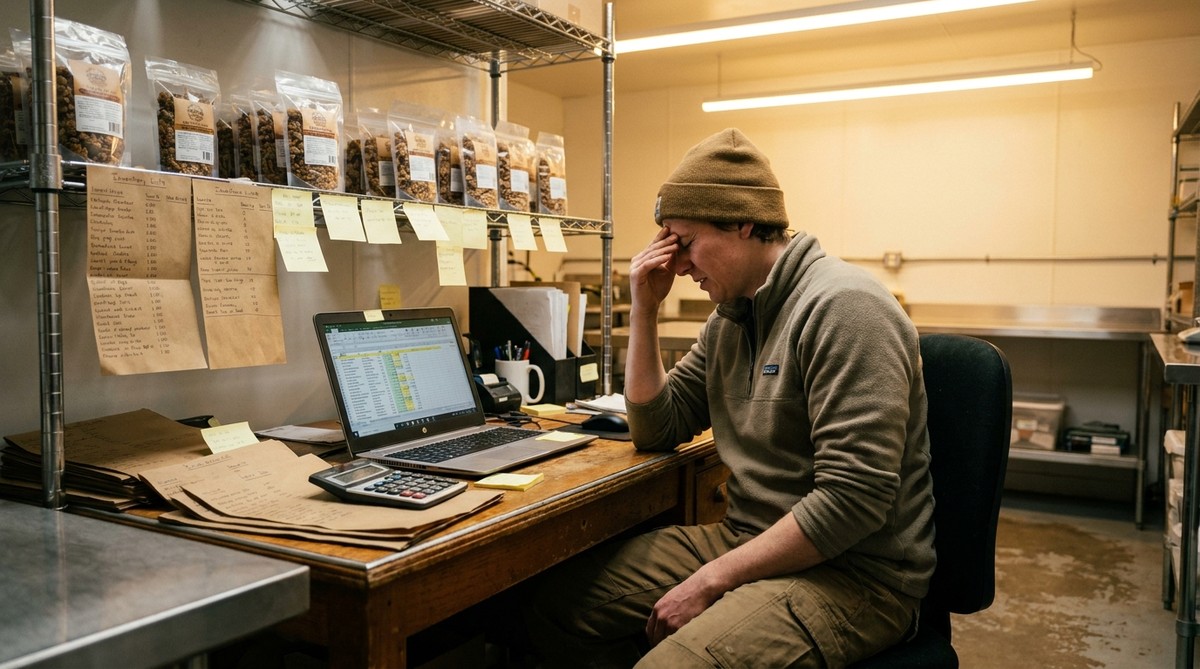
Spreadsheets stop working for food manufacturing inventory management around $50,000 to $75,000 in annual revenue — not because spreadsheets are bad tools, but because inventory management at that scale requires connections between data that a spreadsheet can’t make automatically (without you having a computer science degree).
At the farmer’s market or home-kitchen stage, a spreadsheet is genuinely the right tool: a handful of SKUs, one sales channel, ingredients you can track in your head. But once you’re producing in batches, managing grocery buyers, and buying ingredients in bulk, a spreadsheet starts creating work instead of saving it, because the three things you need to track — ingredients, batches, and orders — live in separate tabs that don’t talk to each other.
What breaks first when a spreadsheet manages your inventory
The first thing that breaks isn’t the spreadsheet itself — it’s the gaps between spreadsheets. Ingredient inventory in one tab. Production batches in another. Customer orders in a third. When those three need to talk to each other (a batch depletes ingredients, which changes what you can fulfill, which affects which orders you can ship), you’re matching three files manually, and that’s where errors can happen.
A bag of sugar that shows available on the ingredients tab but was already used in last week’s batch. A confirmed order that turns out to be a no-go given current stock. A product you thought you had in but actually shipped the last of two weeks ago. None of these are your fault — this is what spreadsheets do when data lives in separate places and the only thing connecting it is you.
Why $50k revenue is the threshold
Around $50–75k annual revenue, most food manufacturers hit three changes at once: their first hire (or close to it), their first grocery retail accounts, and a move from batch-on-demand to regular production schedules. Each of these makes the inventory problem harder.
More orders mean more batches, more ingredient depletion to track, and faster reconciliation cycles. Retail grocery accounts add the expectation of consistent delivery — grocery buyers stop reordering from suppliers who run out mid-season. And buying ingredients in bulk (which you need to do to hit the margins retail requires) means tracking a 50 lb bag of sugar across four different batches over six weeks, which a spreadsheet doesn’t do automatically.
The emergency purchase is the clearest signal that you’ve crossed this threshold. You didn’t realize you were low on a core ingredient until a production run was already scheduled and a buyer was expecting delivery. The only fix was buying at retail markup, same day. The margin on that order disappeared, and the inventory system gave you no warning before it was urgent. It’s not bad luck, it’s what happens when the tracking gap compounds with a full production schedule.
What food manufacturing inventory software actually does
Good inventory software for food manufacturers automates the three connections your spreadsheet can’t make:
Ingredients to batches to finished product. When you record a production run, the software depletes ingredient inventory and increases finished-goods inventory at the same time. The reconciliation that currently happens manually (or not at all) becomes automatic.
Recipe cost to current margin. Ingredient prices change. When they do, your product margins change — but only inventory software tracks this dynamically. A spreadsheet shows you what the margin was when you built the recipe (three months ago); software shows you what it is now.
Orders to available inventory. When a customer order comes in, the system checks whether you have the inventory to fulfill it — or more precisely, whether you have the ingredients to produce the batch you’d need. Spreadsheets can’t make that connection automatically.
How to know you’ve outgrown your spreadsheet
Any three of these signals mean you need real inventory software:
- You’ve had at least one fulfillment problem in the last 12 months that traced back to inventory data being wrong or missing.
- You’re spending more than two hours a week reconciling inventory across multiple tabs or files.
- You can’t answer “do we have what we need to take this order?” without opening three files and doing the math yourself.
- A buyer or retailer has asked for traceability information you couldn’t produce.
- You’ve run out of a core ingredient mid-production at least once.
What to look for in food manufacturing inventory software
For small food manufacturers, the right tool sits between a spreadsheet and a full-scale ERP — built for the actual food manufacturing workflow, without a six-week implementation timeline.
Key capabilities:
- Batch production tracking — ingredient input to finished product, recorded per batch.
- Recipe costing — live connection between current ingredient costs and your actual margin.
- Order management — customer orders linked to inventory, not sitting in a separate system.
- Support for your production model — made-to-order, batch, or both.
For a full breakdown of what’s available and who each tool is actually built for, see The Best Software for Small Food Manufacturers in 2026.
Frequently Asked Questions
At what revenue does a food manufacturer need inventory software? Most food manufacturers hit the spreadsheet wall between $50,000 and $75,000 in annual revenue. The trigger isn’t just the number — it’s a combination of production frequency, number of grocery accounts, and ingredient complexity. If you’re producing weekly and managing multiple retail buyers, you likely need it now regardless of where your revenue sits.
What’s the difference between food manufacturing inventory software and a spreadsheet? A spreadsheet stores data in separate tabs that you connect manually. Inventory software automatically connects ingredient depletion to production batches to finished product to customer orders — the reconciliation work happens inside the system instead of in your head.
Can I manage batch production tracking in a spreadsheet? Yes, but complexity compounds fast. Each batch requires updating ingredient inventory, recording what was produced, and reconciling both against pending orders. That’s three manual updates per production run, any of which can fall out of sync. Software handles it in a single entry.
How long does it take to set up food manufacturing inventory software? It varies significantly by tool. Larger platforms like MRPeasy require weeks of configuration. Tools designed for small food manufacturers are typically running in a day or two — the key variable is whether setup requires an implementation consultant or is genuinely self-serve.
Do I need to track inventory if I produce made-to-order? Yes. Made-to-order production still requires ingredient inventory — you need to know whether you have the inputs to fulfill an order before you confirm it. The tracking problem doesn’t go away; it just shows up at order confirmation rather than at fulfillment.
If you’re at the stage where inventory tracking is creating more work than it saves, Caska was built for exactly this transition — by a food manufacturer who ran into all of these problems first. Try it free for 7 days at go.caska.app.
See also: How to Manage Grocery Buyer Relationships as a Small Food Brand