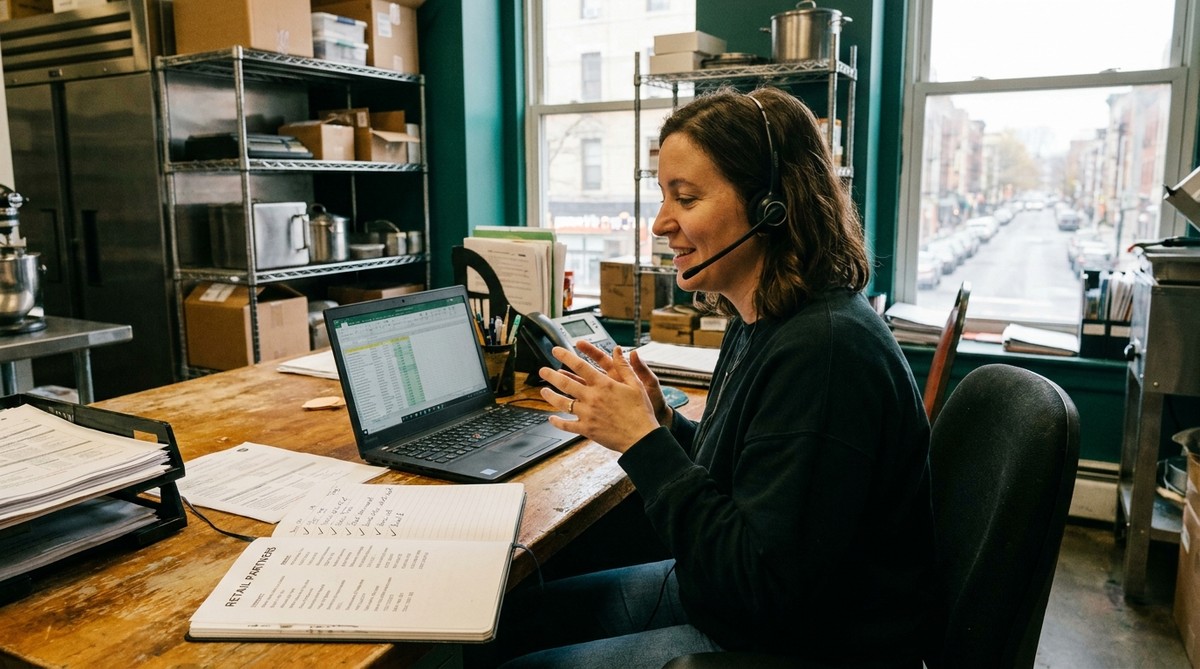
We had over 180 stores in our database at one point, and honestly, that number should have felt like a win. It didn’t. Because a big chunk of those stores were what I started calling “cyclical” — they’d order once, maybe twice, and then just go quiet, and we’d have no idea if that was because the shelf reset happened and we got cut, or the grocery manager changed, or they simply forgot we existed between orders. Some months revenue looked fine. Other months it fell off a cliff for reasons we couldn’t explain, and we’d scramble to figure out which accounts had gone cold and why, usually three months after it actually mattered.
Here’s the system we built to fix that, and it’s the same one that’s kept us at 60+ active retail locations across Alberta and helped drive an 89% revenue jump in a single year, so I’m not being precious about sharing the exact mechanics.
The mistake we made first
Our first version of a follow-up system was basically a spreadsheet with a “last contacted” column, and every couple of weeks I’d scroll through it and reach out to whoever looked stale. It felt productive. It wasn’t, because “stale” isn’t a real signal — a store that ordered three weeks ago and typically reorders every six weeks isn’t stale at all, and a store that ordered five weeks ago on a normal four-week cycle already needed a call. Treating every account the same way meant we were bothering some buyers too early and missing others entirely, and buyers notice both.
The fix wasn’t a fancier spreadsheet. It was tying the follow-up timing to how each store actually sells, not to a calendar interval we made up.
What the cadence actually looks like
For every store, we track roughly how long a typical order lasts them on the shelf — a smaller independent grocer might move through a cases in five weeks, a bigger Sobeys or Save-on Foods location might take two or three. That reorder window is the whole cadence. We reach out a few days before we expect them to be running low, not a fixed number of days after their last order.
That means our “follow-up schedule” isn’t one schedule at all — it’s dozens of small, store-specific windows running at once. In practice we group stores into three rough buckets (fast movers, standard, slow) and set a check-in point for each bucket, then adjust individual stores as we learn their actual pattern. It sounds like more work than a blanket 30-day drip, but it’s less, because you’re not sending outreach that lands wrong — either too pushy or too late to matter.
What we actually say
The message matters as much as the timing. “Just checking in!” is the fastest way to get ignored, because it gives the buyer nothing to act on and no reason to reply today instead of next month. Every message we send has a reason attached to it — a new flavour we just added, a seasonal item that’s relevant right now, a nearby store that just picked us up, or genuinely just “you’re probably getting low based on your last order, want me to schedule a delivery?”
That last one does most of the work. Buyers are busy. They’re not avoiding you — they’re juggling a hundered and forty other SKUs and a seasonal promotion calendar, and a message that saves them a step (we noticed, here’s what we’d suggest, just say yes) gets answered a lot faster than one that asks them to do the thinking.
Re-engaging the ones that already went quiet
Some accounts slip past the window no matter how good the cadence is — a buyer changes, a reset happens without warning, three months pass and nobody flagged it. For those, the “just checking in” instinct is even worse, because now there’s an unspoken apology built into the message and it reads as needy.
We treat lapsed accounts the same way we treat new outreach: lead with something concrete. A new product launch works. So does “we noticed [chain] added a display program and thought of you,” or even just being direct — “it’s been a while since your last order, is there anything that changed on your end?” That last one feels risky the first time you send it. It isn’t. Buyers respect directness more than they respect being ignored back.
Why this actually moved revenue, not just tidiness
Before we had this running properly, our revenue swung month to month in ways that felt random, and it wasn’t — it was just invisible. Accounts were quietly lapsing and we didn’t have a way to see it happening until the gap in the numbers showed up. Once we had a system where every store’s reorder window was tracked and nothing slipped through without someone noticing, those swings mostly disappeared, and the follow-up work itself directly contributed to Heritage’s 89% revenue growth in a single year.
None of this required hiring anyone. It required knowing, at any point, which of our 150-plus accounts needed something from us this week - and having that answer be a two-second lookup instead of a gut feeling.
Building this yourself
You can absolutely run this on a spreadsheet, and we did for a long time. The failure mode isn’t the tool, it’s that a spreadsheet won’t tell you when a store’s reorder window is coming up — you have to remember to check, and eventually you don’t. If you’re at the point where checking manually is starting to slip (a few too many “wait, when did they last order?” moments), that’s the signal to move the tracking somewhere that flags it for you instead of relying on memory. That’s the exact gap Caska was built to close — buyer contacts, reorder windows by store, and automated follow-up nudges, without needing weeks of setup to make it useful. Plans start at $39/month CAD with a 7-day free trial if you want to see it against your own account list.
If you want the fuller breakdown of what to track per buyer and how to build the cadence from scratch, we covered that in Grocery Buyer CRM for Food Manufacturers and How to Manage Grocery Buyer Relationships.
See how the follow-up system works →
Frequently Asked Questions
How often should I follow up with a grocery store buyer? Base it on how fast that specific store sells through your product, not a fixed number of days. A slow-moving independent store might need a check-in every five weeks; a higher volume big-chain location might go three. A single blanket cadence for every account either annoys your fastest movers or loses your slowest ones.
What should a grocery buyer follow-up message actually say? Give the buyer a reason to respond, not just a check-in. A new product, a seasonal item, a nearby store that just picked you up, or a direct “you’re probably running low, want us to schedule a delivery?” all work better than “just checking in.”
How do I re-engage a grocery store that stopped ordering? Lead with something concrete rather than acknowledging the gap. A new product or a relevant update gives them something to respond to. If nothing new applies, being direct — asking if anything changed on their end — works better than a vague check-in.
Do I need software to run a follow-up system like this? No — a spreadsheet works at a small scale, and that’s exactly how we started. It becomes worth automating once tracking each store’s individual reorder window manually starts slipping, which is usually somewhere past 20–30 active accounts.